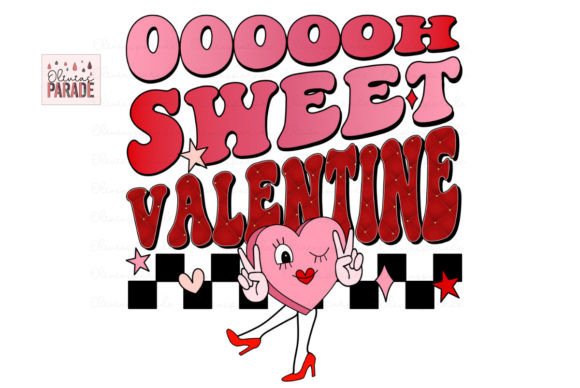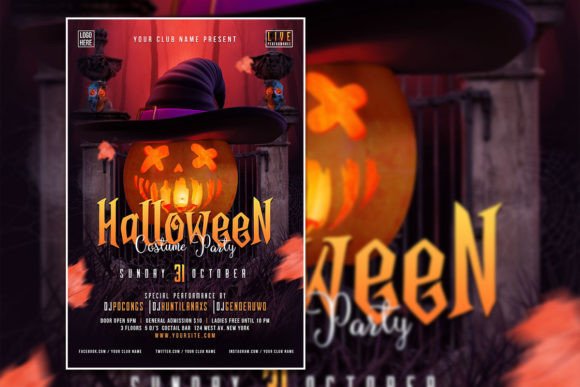
Craft the Perfect Valentine's Vibe with an Editable Flyer Template
The pressure of the calendar is real. You have a specific date looming, a promotion to push, or a gathering to organize, and you need to capture the essence of romance and excitement visually. Whether you are a small business owner planning a "Galentine’s" brunch, a graphic designer hustling for a last-minute client, or an event planner organizing a gala, the visual assets you create set the tone immediately. A generic stock photo won't cut it. You need a design that feels intentional, cohesive, and professional. This is where having the right digital assets in your toolkit—specifically a versatile, fully editable Valentine’s Day Flyer or Poster—becomes less about "decoration" and more about effective communication.
Visual consistency is the backbone of brand recognition. When your audience sees your materials, they should instantly recognize your aesthetic. A high-quality template acts as a structural foundation that allows you to maintain this consistency while drastically reducing production time. The specific template we are discussing here—a professionally designed PSD file measuring 2000 x 4000 pixels at 300 DPI—offers a perfect case study in how to blend convenience with high-end design standards.
Why the "Editable" Factor Matters More Than You Think
There is a distinct difference between a flat image file and a working design file. When you purchase or download a generic JPEG, you are stuck with it. You cannot change the text to fit your specific call to action, and you certainly cannot swap out the imagery to match your specific branding. However, with a fully organized PSD (Photoshop Document) file, you gain total creative control.
Imagine you are running a promotion for a boutique clothing store. The template might feature a romantic couple, but you want to feature your best-selling red dress instead. Because this file is structured with organized layers, you can simply mask out the existing photo and drop in your own product shot. The resolution of 300 DPI ensures that even if you decide to print this as a large-scale poster for a storefront window, the details will remain crisp and professional. You aren't just filling in blanks; you are utilizing a professional framework to build your own custom asset.
Practical Applications: Beyond the Party Invitation
When we think of Valentine's imagery, our minds often jump to party invitations. While this template is perfect for that—inviting friends, clients, or community members to a celebration—its utility extends far beyond a single night out. In the world of digital marketing and branding, thematic assets are goldmines for engagement.
Consider the versatility of a high-quality romantic design for the following projects:
- Social Media Campaigns: A 2000x4000 pixel dimension is incredibly flexible. It works beautifully for Instagram Stories, Pinterest pins, and even cropped down for Facebook posts. You can use the design to announce a limited-time "Sweetheart Sale" or a "Love Your Customer" appreciation week.
- Website Banners: If you run an e-commerce site or a blog, seasonal banners keep your site feeling fresh and relevant. Swapping the text to something like "Free Shipping on All Orders" over a romantic background creates an emotional hook.
- Email Marketing Headers: Stand out in a crowded inbox. A visually striking header image sets the mood before the reader even gets to the body copy of your newsletter.
- Print Materials: Don't forget the tangible. Flyers, rack cards, and menu inserts benefit from the high-resolution format. If you are a restaurant owner, a beautifully designed insert for the check presenter advertising a prix-fixe dinner can drive significant revenue.
- Digital Products: For content creators and bloggers, you can adapt the design elements to create digital planners, desktop wallpapers for your subscribers, or printable valentines to offer as a free download to grow your email list.
Mastering Typography and Brand Voice
One of the most critical aspects of this template is the ease with which you can manipulate the typography. Text is not just information; it is a design element with its own personality. The instruction to simply select the text with the text tool and replace it sounds simple, but the creative implications are vast.
The font pairing included in a professional template is chosen to evoke a specific mood—likely something elegant, romantic, or whimsical. However, your brand voice might be different. If your brand is edgy and modern, you might want to swap the script font for a bold sans-serif. If your brand is traditional and luxury-focused, a classic serif font might be more appropriate.
When editing, pay attention to kerning (the space between letters) and leading (the space between lines). Even the best photo and layout can be ruined by text that is too cramped or too spread out. Because the file is organized, you can easily adjust these tracking settings without breaking the rest of the design. This level of control ensures that your final product doesn't look like a "template" you bought, but rather a custom piece of marketing collateral designed specifically for your brand.
Strategic Visuals: Color Theory and Imagery
Valentine's Day is dominated by a specific palette: reds, pinks, whites, and golds. While these colors are psychologically linked to love and passion, they might not align with your specific brand identity. A major advantage of a high-quality PSD file is the ability to adjust the color mode and hue.
For example, a high-end jewelry brand might prefer a muted palette of dusty rose and charcoal gray to convey sophistication, rather than bright primary red. A children’s party planner might want brighter, candy-colored pastels. By using the organized layers, you can isolate color elements and adjust the Hue/Saturation sliders to match your brand’s hex codes perfectly.
Furthermore, the ability to replace the photo allows you to curate exactly who your audience sees. Representation matters in marketing. If your audience is diverse, ensure your imagery reflects that. If your product is the star, ensure the photo is high-resolution and well-lit. The 4:6 aspect ratio is a classic standard that fits most frames and social media crops, giving you a versatile canvas to work with.
Workflow Efficiency: The "Instant Download" Advantage
In the fast-paced world of entrepreneurship and design, time is a currency. You often don't have weeks to commission a custom illustration or days to build a layout from scratch. The "Instant Download" feature of this asset is a workflow game-changer.
Picture this: It’s Tuesday, and you realize you need a flyer for an event this Friday. You download the file, open it in Adobe Photoshop, drag and drop your product photo, change the date and address, adjust the font to your brand style, and export. You have gone from concept to a print-ready, high-resolution file in under 20 minutes. This efficiency allows you to be reactive and agile in your marketing, seizing opportunities as they arise without sacrificing quality.
Final Thoughts on Professional Presentation
In a visual-first digital landscape, the quality of your graphics signals the quality of your business. A pixelated, poorly composed flyer can inadvertently suggest a lack of attention to detail. Conversely, a sharp, 300 DPI, professionally composed design suggests authority and trustworthiness.
Whether you are using this for a massive corporate event or a personal project, the principles remain the same. Start with a solid foundation (the template), inject your unique identity (fonts, colors, and photos), and ensure the technical specifications (resolution and size) are met for your specific medium. By leveraging a fully editable resource like this, you bridge the gap between professional design standards and practical, real-world application, ensuring your Valentine’s campaign is as effective as it is beautiful.